
Minimalistic reminder app with no login that works offline
Minimalistic Reminder App is an Android app for people who want to type or say a reminder. You can set it once or repeat it, with no login or account. It works offline and is on Google Play.
Get it on Google PlayWhat is Minimalistic Reminder App?
Minimalistic Reminder App keeps the purpose clear: make a reminder for something you want to remember. You can type it or say it. Set the reminder once or make it repeat. There is no login and no account to create.
That makes the app worth considering when a reminder is the task you want to complete. You can think about what you need to do and when you need the reminder. The app works offline. Set a reminder once or choose to repeat it.
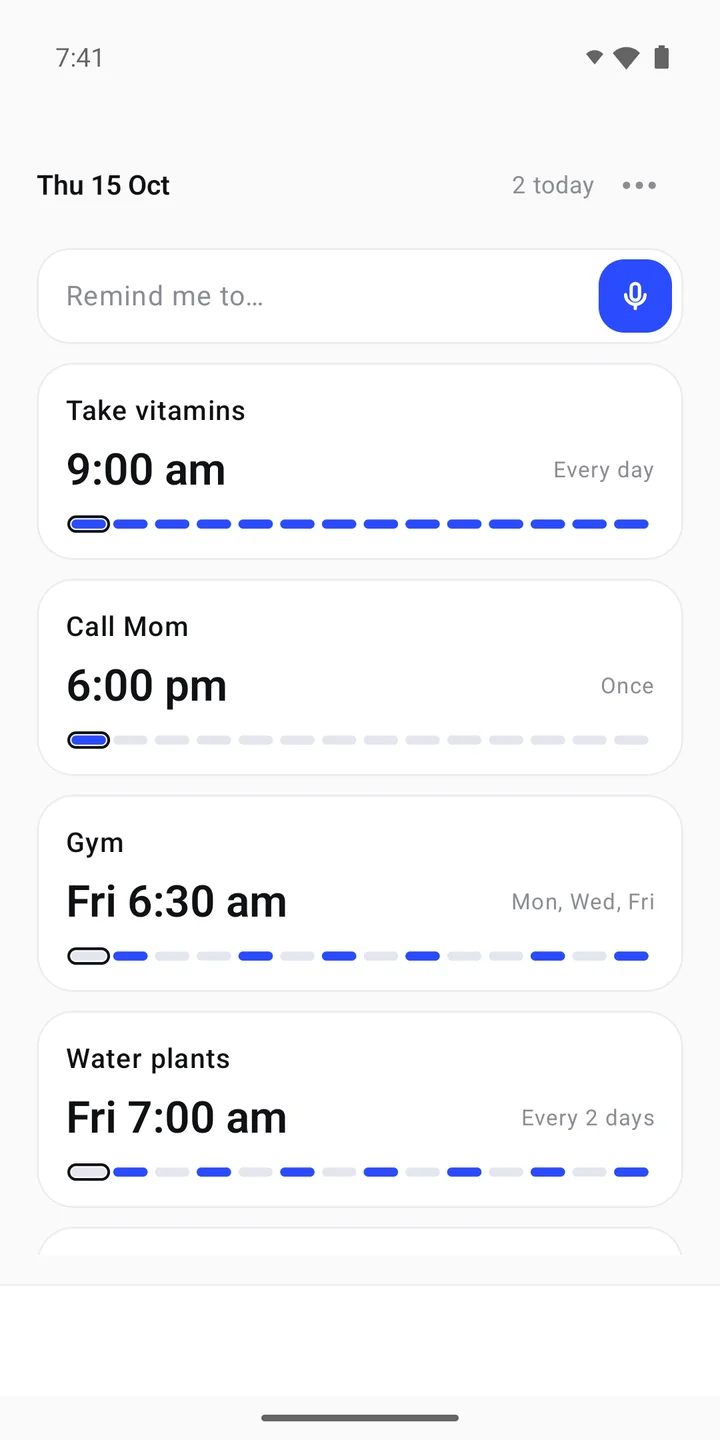
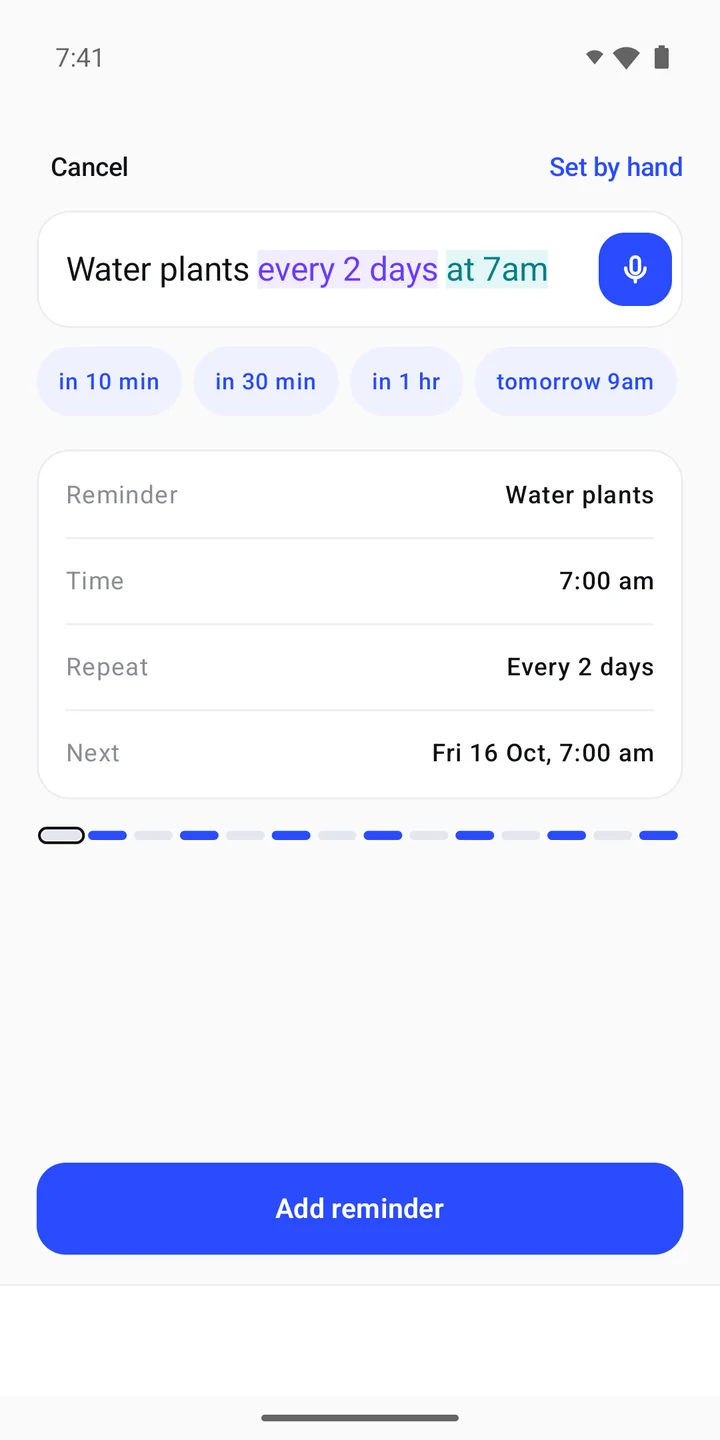
The home screen shows a reminder entry field with a microphone button. Under it are reminder cards with names, times and repeat details. The add screen shows a written reminder and a summary for Reminder, Time, Repeat and Next.
Key facts
- Platform
- Android
- Works offline
- Yes
- Login needed
- No
- Account needed
- No
- Entry
- Type or say a reminder
- Schedule
- Once or repeat
- Publisher
- JAGC
How do you type or say a reminder?
- Put the reminder into words.
Type what you want to remember, or say it. The app screens show a text entry field and a microphone button beside it.
- Review the time.
The add screen shows a Time row and a Next row. Look at the details before saving so you can check the reminder you are setting.
- Choose once or repeat.
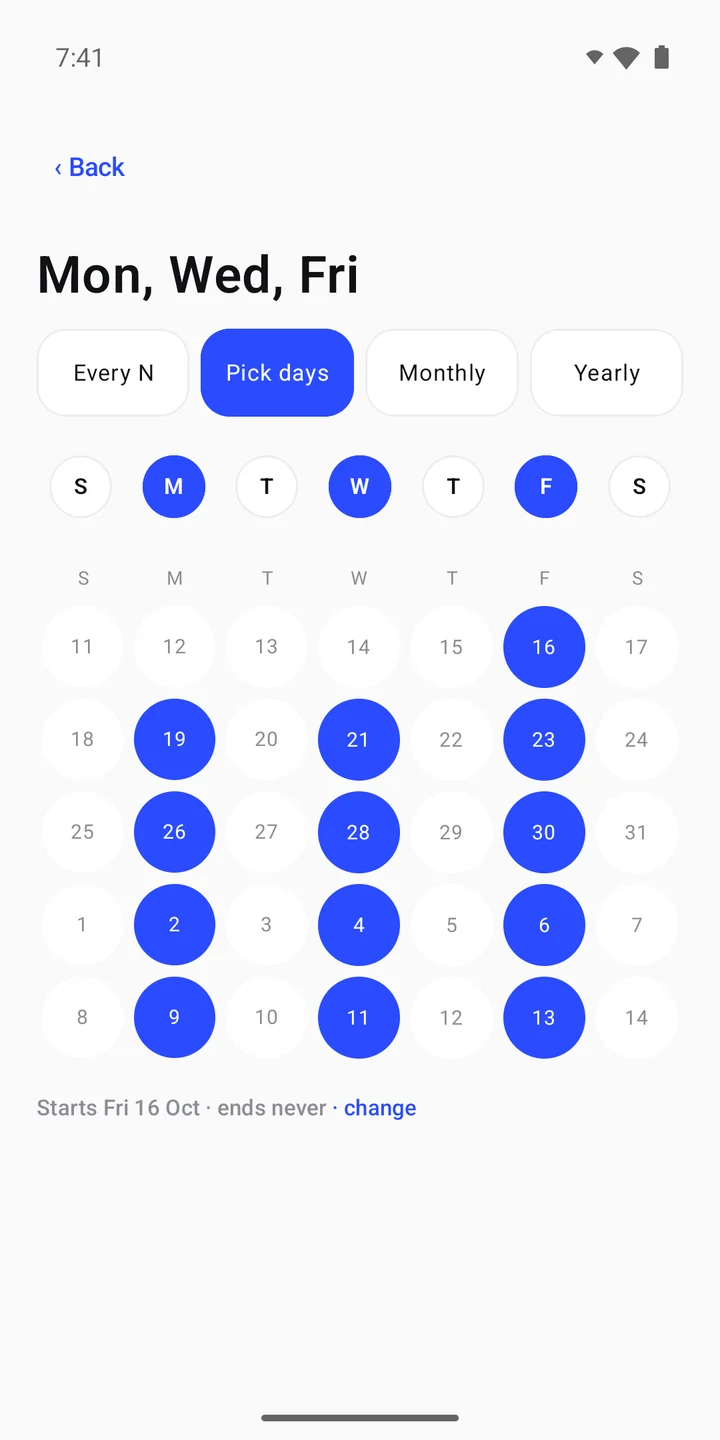
Use a one-time reminder for a single occasion, or repeat it for a recurring task. The repeat screen shows choices including Pick days.
- Check the repeat details.
The repeat screen shows selected weekdays and a calendar. Review the pattern you want before adding the reminder.
- Add the reminder.
The add screen has an Add reminder button at the bottom. The home screen shows reminder cards with their times and repeat details.
For example, watering plants can be a repeating reminder. A single call can be a one-time reminder. Match the repeat choice to the task you need to remember. Choose wording that tells you clearly what to do when you read it later.
Watch Minimalistic Reminder App
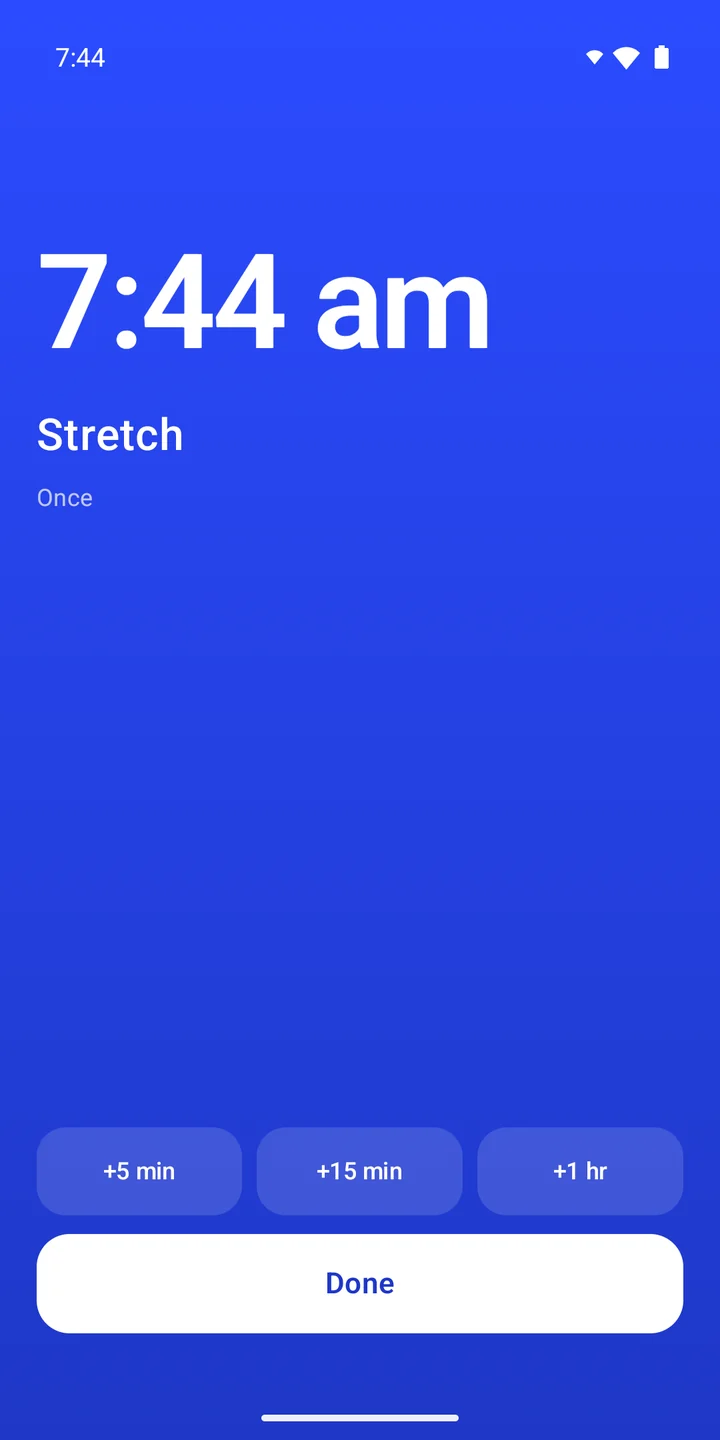
Watch a spoken reminder example in the trailer. The gallery below shows a reminder list, the add screen, repeat choices and a reminder screen. Use them to inspect the controls before opening Google Play.
Minimalistic Reminder App screenshots
A reminder app without login or an account
Minimalistic Reminder App does not need a login. It does not need an account. Use it as a reminder app with no account. Start with a task you want to remember and put it into words.
Think about the job you want the app to do. If your aim is to put a reminder into words and choose once or repeat, these are the core choices. You can judge the app against that need without adding an account step.
The screenshots also help you judge the visible layout. They show a short text entry area, a microphone button and reminder cards. The add screen brings the reminder wording and schedule summary together before the Add reminder button.
Who needs a simple reminder app?
Minimalistic Reminder App suits people who want a direct way to make a reminder. You might want to type a short task. You might prefer to say it. The choice between typing and speaking is useful to consider when picking a voice reminder app.
It also suits people looking for an offline reminder app on Android. The app works offline and requires no login or account. Those traits may fit someone who wants to focus on a reminder instead of managing another account.
The once-or-repeat choice supports different kinds of plans. A repeating reminder app may suit a task you want to remember again. A one-time reminder may suit a single event. You decide which pattern matches the task you have in mind.
Which reminder app traits fit your routine?
Choose by the reminder task you want to complete. Entry method, repeat choices, account needs and offline use are clear traits to check. Minimalistic Reminder App lets you type or say a reminder, once or repeat. Use these traits to decide whether the app fits your routine.
| Trait to consider | Minimalistic Reminder App |
|---|---|
| Reminder entry | Type or say a reminder |
| Repeat choice | Once or repeat |
| Login | No login needed |
| Account | No account needed |
| Connection | Works offline |
The useful question is whether those traits match your routine. If they do, look at the add and repeat screens above. They show the visible controls you can inspect before choosing to get the Android app from Google Play.
Frequently asked questions
Is there a reminder app that does not need a login?
Yes. Minimalistic Reminder App needs no login and no account. You can type or say a reminder, choose once or repeat, and use the app offline.
Which reminder app needs no account?
Minimalistic Reminder App does not need an account. It is an Android app for reminders you type or say. You can find it on Google Play.
Does Minimalistic Reminder App work offline on Android?
Yes. Minimalistic Reminder App works offline on Android. It also needs no login or account. Its reminder choices are once or repeat.
Can I say a reminder instead of typing it?
Yes. Minimalistic Reminder App lets you type or say a reminder. Its screens show a microphone button beside the reminder entry field.
Can I set repeating reminders?
Yes. Minimalistic Reminder App lets you set a reminder once or repeat it. The repeat screen shows selected weekdays and a calendar.
What does the reminder add screen show?
Minimalistic Reminder App shows the reminder text and rows for Reminder, Time, Repeat and Next. An Add reminder button appears at the bottom of that screen.
Where can I get Minimalistic Reminder App?
Minimalistic Reminder App is on Google Play for Android. Use the Google Play button on this page to open the listing. The publisher is JAGC.
Get Minimalistic Reminder App on Google Play
Choose Minimalistic Reminder App if you want to type or say a reminder, once or repeat. It works offline and needs no login or account. Open its Google Play page to view the Android app. The screenshots show its reminder screens above.
Get it on Google Play